Lillyberry: A Script Font for Web Design
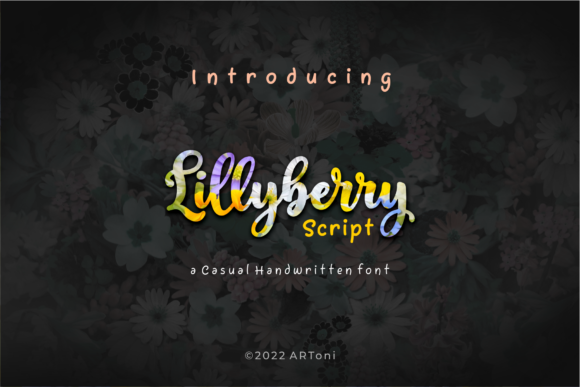
As a web designer, I’m always on the lookout for fonts that bring personality and visual interest to a site without sacrificing usability. Lillyberry has quickly become one of my go-to script fonts for headers, hero sections, and decorative accents. Its round lettering and flowing style give it a soft, approachable feel that works well for creative brands, boutique stores, and personal portfolios.
Testing Lillyberry in a Hero Section
I recently tested Lillyberry on a client’s landing page for a new online store. The goal was to create a bold, inviting hero section that would capture attention while maintaining a clean layout. I used Lillyberry for the main headline, pairing it with a simple sans serif font for the supporting text. The result was a visually balanced design that felt both modern and warm.
The font’s dynamic flow made it perfect for short phrases and titles. It added a sense of movement and elegance without overwhelming the page. On mobile devices, the font remained legible and didn’t interfere with the overall user experience.
Using Lillyberry for Call-to-Action Buttons
I also experimented with using Lillyberry on call-to-action buttons for a course sales page. The font’s soft curves and rounded letters gave the buttons a friendly, approachable look that aligned with the brand’s aesthetic. However, I found that it worked best when used sparingly—too much text in the font could make the button feel cluttered or hard to read.
For best results, I recommend using Lillyberry for short phrases like “Start Your Journey” or “Join Now” rather than long sentences. It’s ideal for decorative accents and headings, but not for body copy or dense blocks of text.
Pairing Lillyberry with a Clean Sans Serif
One of the strengths of Lillyberry is how well it pairs with other fonts. I often use it alongside a clean, modern sans serif like Roboto or Open Sans. This combination creates a nice contrast between the decorative script and the straightforward body text, making the design more readable and professional.
When designing a portfolio site, I paired Lillyberry with a serif font for the subheadings. The result was a classic yet contemporary look that felt cohesive and polished. It’s important to test different pairings to find what works best for your specific project and brand identity.
Considering Accessibility and Readability
While Lillyberry is beautiful, it’s not suitable for all web applications. I’ve found that it doesn’t work well for small text sizes or dense paragraphs. For example, using it in form labels or navigation menus can reduce readability, especially for users with visual impairments.
When using the font on dark backgrounds or image overlays, I made sure to adjust the contrast and spacing to ensure clarity. It’s also important to consider how the font looks across different screen sizes and resolutions. Testing on multiple devices helps identify any potential issues early on.
Font Licensing and Web Use
Before implementing Lillyberry on a website, I always check the licensing details. The font is PUA encoded, which means it’s easy to access all the glyphs and special characters without needing additional software. This is particularly useful for custom designs or multilingual content.
For commercial projects, I made sure the license covered web use and digital assets. It’s essential to verify that the font can be embedded on a website and used in design files without violating any terms. Some fonts require separate webfont licenses, so it’s worth double-checking before finalizing a project.
Real-World Applications for Lillyberry
Lillyberry has proven to be a versatile tool for a variety of web projects. I’ve used it for a creative agency’s homepage, an online shop banner, and a blog header. Each time, it added a touch of elegance and personality that matched the brand’s tone.
It’s also great for promotional landing pages and campaign sites where a strong visual identity is needed. Whether you’re launching a new product or sharing a limited-time offer, Lillyberry can help make your message stand out without being too flashy.